How to Calculate Age from Date of Birth (Step-by-Step Guide)
Calculating age from date of birth may sound simple, but when you need an accurate age in years, months, and days, things get tricky. Whether you’re filling out official forms, checking eligibility, planning birthdays, or working with legal or medical records, precise age calculation matters.
In this guide, you’ll learn how to calculate age from date of birth manually, common mistakes people make, and why using an online age calculator like DOBAge is the smartest option today.
What Does “Age Calculation” Actually Mean?
Age is not just the difference between two years.
A correct age calculation considers:
-
Years completed
-
Remaining months
-
Remaining days
-
Leap years
-
Whether the birthday has passed in the current year
Example:
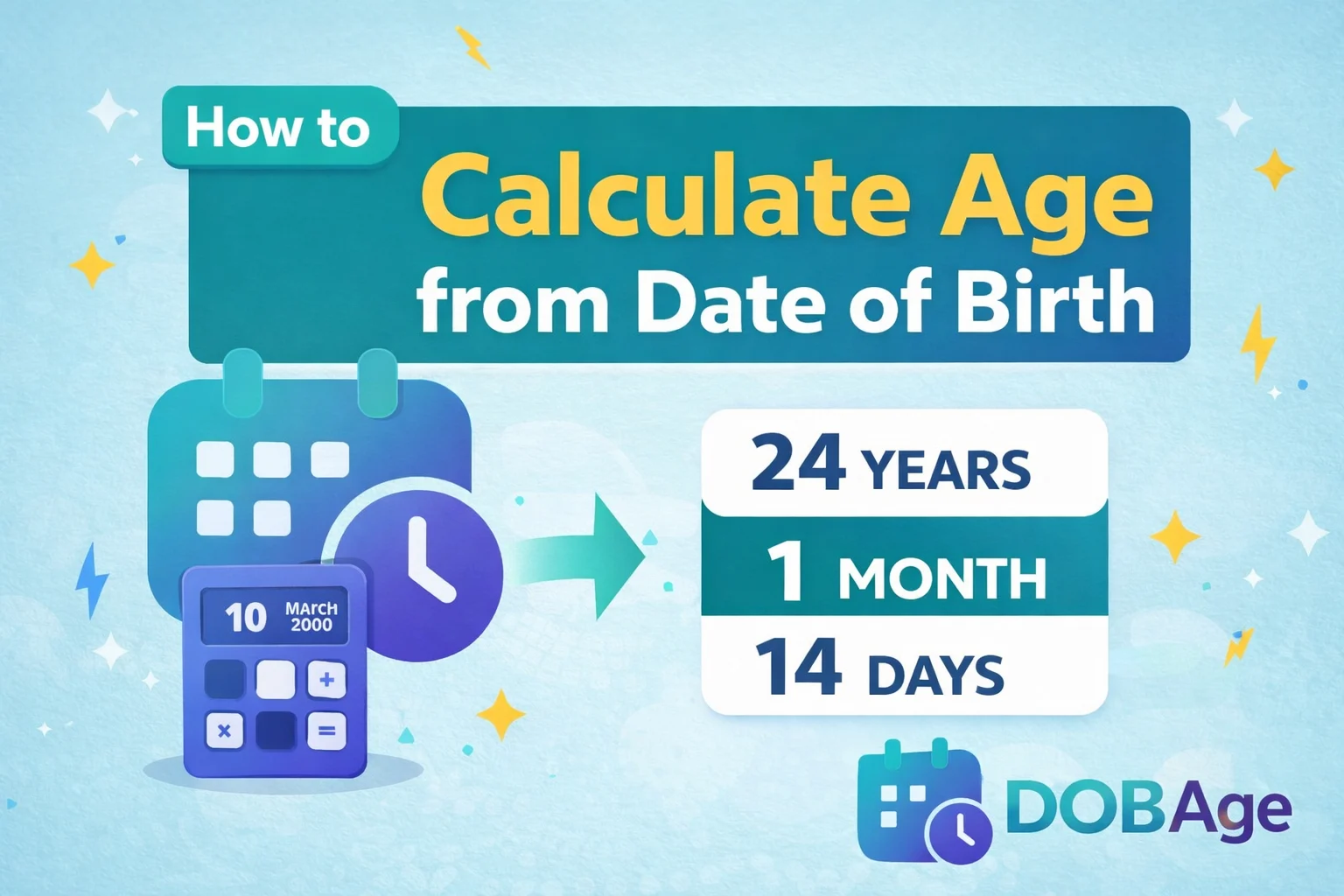
Date of Birth: 10 March 2000
Today’s Date: 24 April 2024
Age is not simply 2024 − 2000 = 24 years.
The correct age is:
24 years, 1 month, 14 days
That difference matters in real life.
Why Accurate Age Calculation Is Important
Age calculation is used in many critical situations:
1. Government & Legal Documents
-
Passport applications
-
Driving license eligibility
-
Aadhaar / PAN / Voter ID forms
2. Education & Jobs
-
School admissions
-
Age-limit based recruitment
3. Medical & Insurance
-
Child growth tracking
-
Health assessments
-
Insurance eligibility
4. Astrology & Zodiac Tools
-
Zodiac sign from DOB
-
Birth chart calculations
In all these cases, one wrong day can make you ineligible.
Method 1: How to Calculate Age from Date of Birth Manually
Let’s break it down step by step.
Step 1: Write Down Both Dates
-
Date of Birth (DOB)
-
Current Date (or any reference date)
Example:
-
DOB: 15 August 1998
-
Today: 20 April 2024
Step 2: Calculate Years
If today’s month and day are after your birthday → subtract years normally.
2024 − 1998 = 26 years
If today’s date is before your birthday → subtract 1 year.
Step 3: Calculate Months
Subtract birth month from current month.
If negative:
-
Borrow 1 year
-
Add 12 to months
Step 4: Calculate Days
Subtract birth day from current day.
If negative:
-
Borrow days from previous month
-
Use correct number of days (28–31)
Final Manual Result Example
DOB: 15 Aug 1998
Date: 20 Apr 2024
Result:
25 years, 8 months, 5 days
Manual calculation works — but it’s slow and error-prone.
Common Mistakes People Make While Calculating Age
Let’s be blunt: most people calculate age wrong.
Here’s why:
1.Ignoring Leap Years
February doesn’t always have 28 days
2.Only Subtracting Years
Age ≠ year difference.
3.Wrong Month Borrowing
People forget to borrow months correctly.
4.Incorrect Day Count
Not all months have 30 days.
One small mistake = wrong age.
Method 2: Calculate Age Using an Online Age Calculator (Recommended)
The fastest and most accurate method is using an online age calculator (DOBAge).
Why Online Tools Are Better
-
Handles leap years automatically
-
Calculates exact days & months
-
Works instantly
-
No manual effort
-
No calculation mistakes
Use DOBAge Age Calculator (Free & Accurate)
DOBAge offers a free Age Calculator that gives instant and precise results.
What DOBAge Calculates
-
Exact age in years, months, days
-
Next birthday countdown
-
Total days lived
-
Accurate leap year handling
👉 Try it here:
https://dobage.com/tools/age-calculator/
How to Use DOBAge Age Calculator (Step-by-Step)
-
Open the Age Calculator tool
-
Enter your Date of Birth
-
(Optional) Select a reference date
-
Click Calculate Age
That’s it. Result appears instantly.
Age Calculation Examples
Example 1
DOB: 01 January 1990
Today: 01 January 2024
Result:
34 years, 0 months, 0 days
Example 2
DOB: 29 February 2004
Today: 01 March 2024
Result:
20 years, 0 months, 1 day
Leap year handled correctly.
How Age Is Calculated Technically (Behind the Scenes)
Most accurate age calculators follow this logic:
If (current_date >= birthday_this_year):
age = current_year - birth_year
Else:
age = current_year - birth_year - 1
Age Calculator vs Birthday Calculator
| Feature | Age Calculator | Birthday Calculator |
|---|---|---|
| Exact age | Yes | No |
| Days/months | Yes | No |
| Eligibility check | Yes | No |
| Legal accuracy | Yes | No |
Always use an age calculator, not a birthday counter.
Frequently Asked Questions (FAQ)
Q1. How do I calculate age in years and months only?
Use an age calculator and ignore the days part.
Q2. Is age calculation different for leap year birthdays?
Yes. Feb 29 birthdays require special handling.
Q3. Can I calculate age for a past or future date?
Yes. DOBAge allows custom reference dates.
Q4. Is DOBAge Age Calculator free?
Yes. 100% free and no login required.
Why DOBAge Is Better Than Other Age Calculators
Let’s be honest.
Most age calculators:
-
Look outdated
-
Don’t show full breakdown
-
Are filled with ads
-
Give confusing results
DOBAge focuses on:
-
Clean UI
-
Accurate calculation
-
Fast performance
-
Mobile-friendly design
It’s built specifically for real users, not just SEO.
Final Thoughts
If you only need a rough number, manual calculation is fine.
But if you need:
-
Accuracy
-
Speed
-
Zero mistakes
Then an online age calculator is the correct choice.
👉 Use DOBAge Age Calculator now:
https://dobage.com/tools/age-calculator/